Features
Not just cleaning management,
a suite of features to drive operations.
Education, instructions, communication, progress management, and AI allocation all in one.
Designed to eliminate "confusion" on-site.
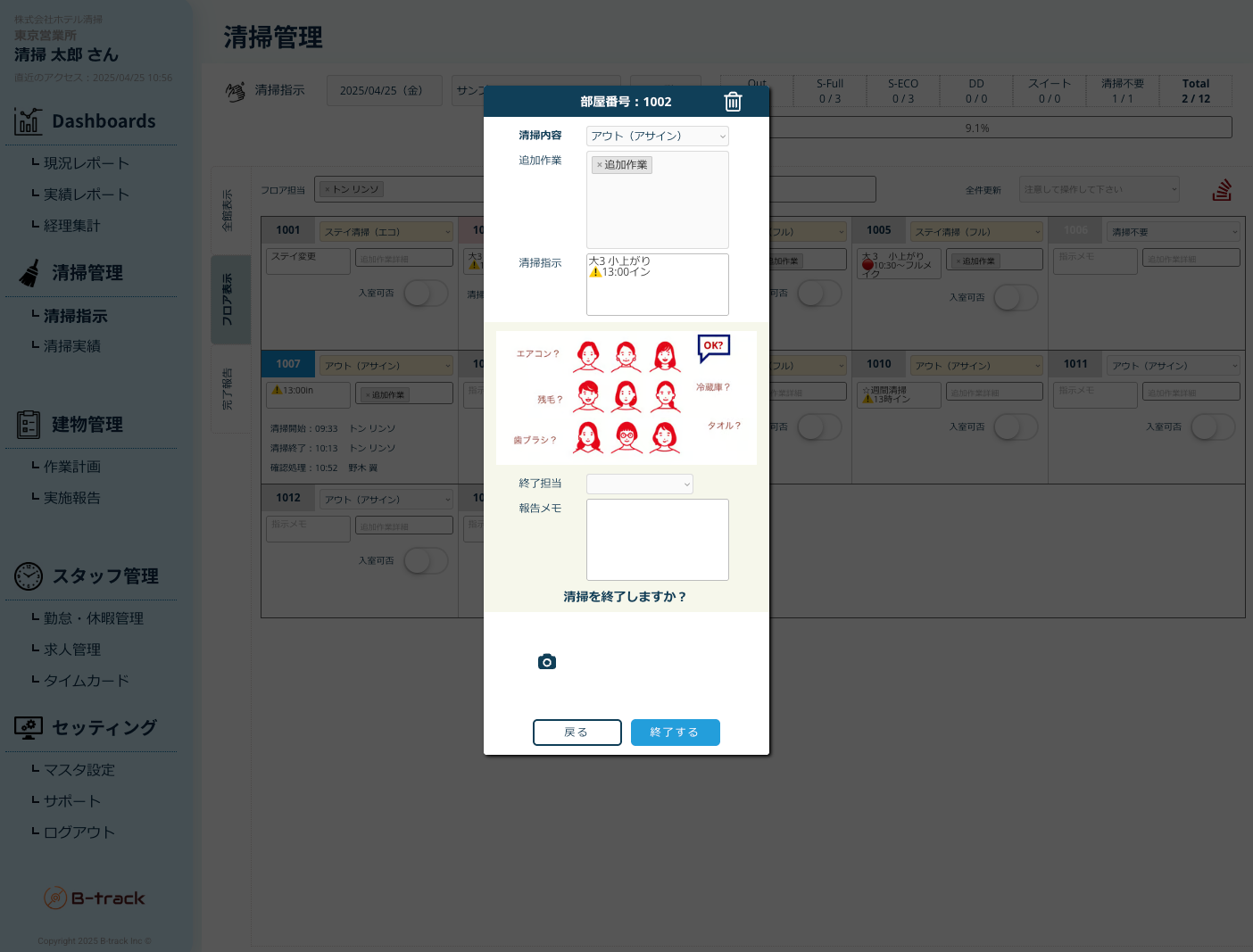
Cleaning Task Management
Digitize tasks for each room, with priority, checklists, and photo reports all on one screen.
- Clear cleaning instructions by room to avoid confusion
- Visualize quality standards with photo reports
- Prevent omissions and re-cleaning with checklists
- Works offline where signal is weak indoors, then syncs automatically
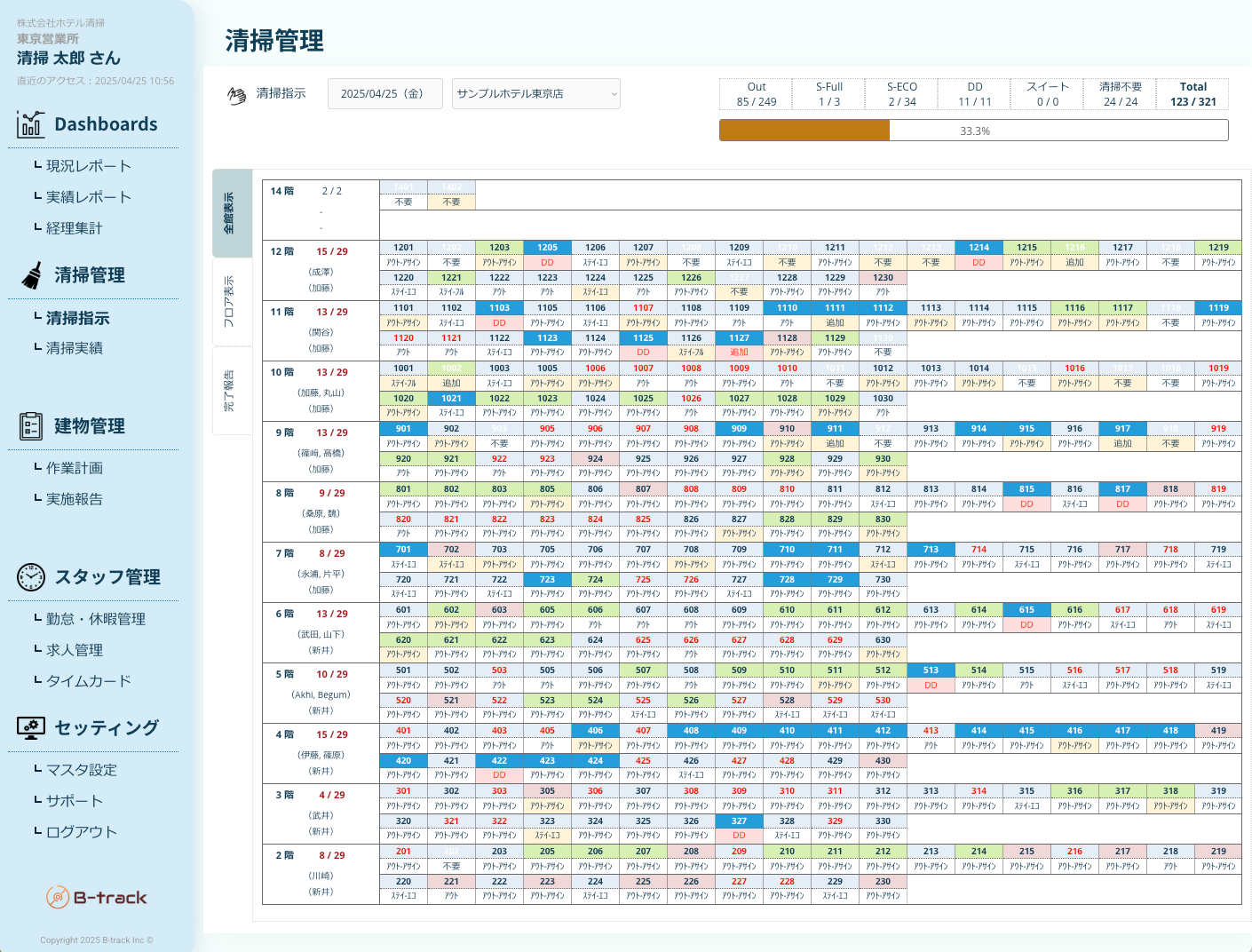
Real-Time Progress Management
Know the current status of each room on the same screen for front desk, managers, and cleaning staff.
- Quick overview with color-coded status by room
- Automatic integration with the front desk, eliminating internal checks
- Immediate alerts for delayed or lingering rooms
- Records inspection results and findings for each room
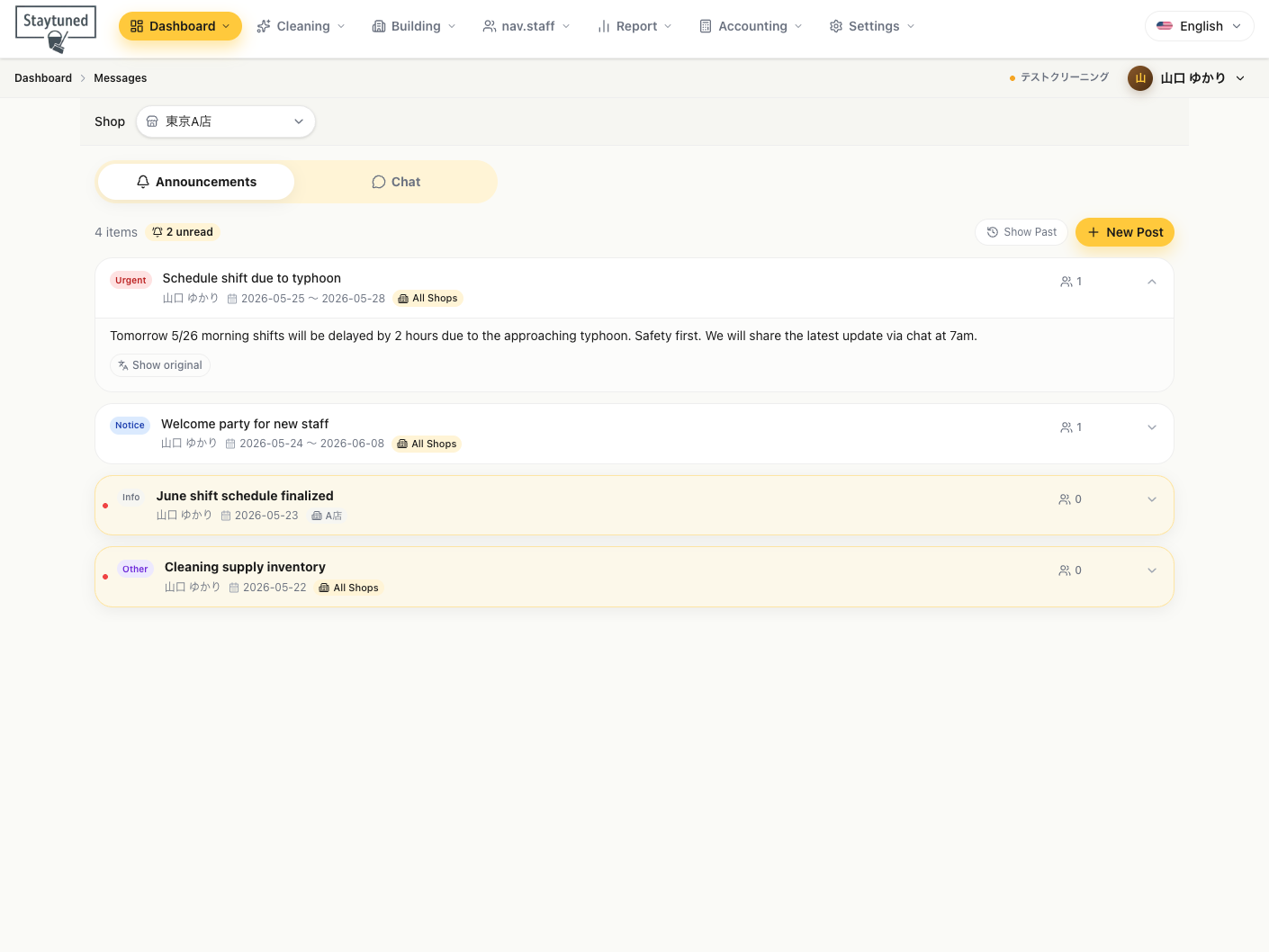
Multilingual Translation Chat
Send in your native language → automatically translated to the recipient's language. Supports 29 languages, breaking down language barriers in operations.
- Consolidate individual/group/business confirmations into one
- Complete shifts, attendance, and communications within the chat
- Effective for smooth communication between the same languages
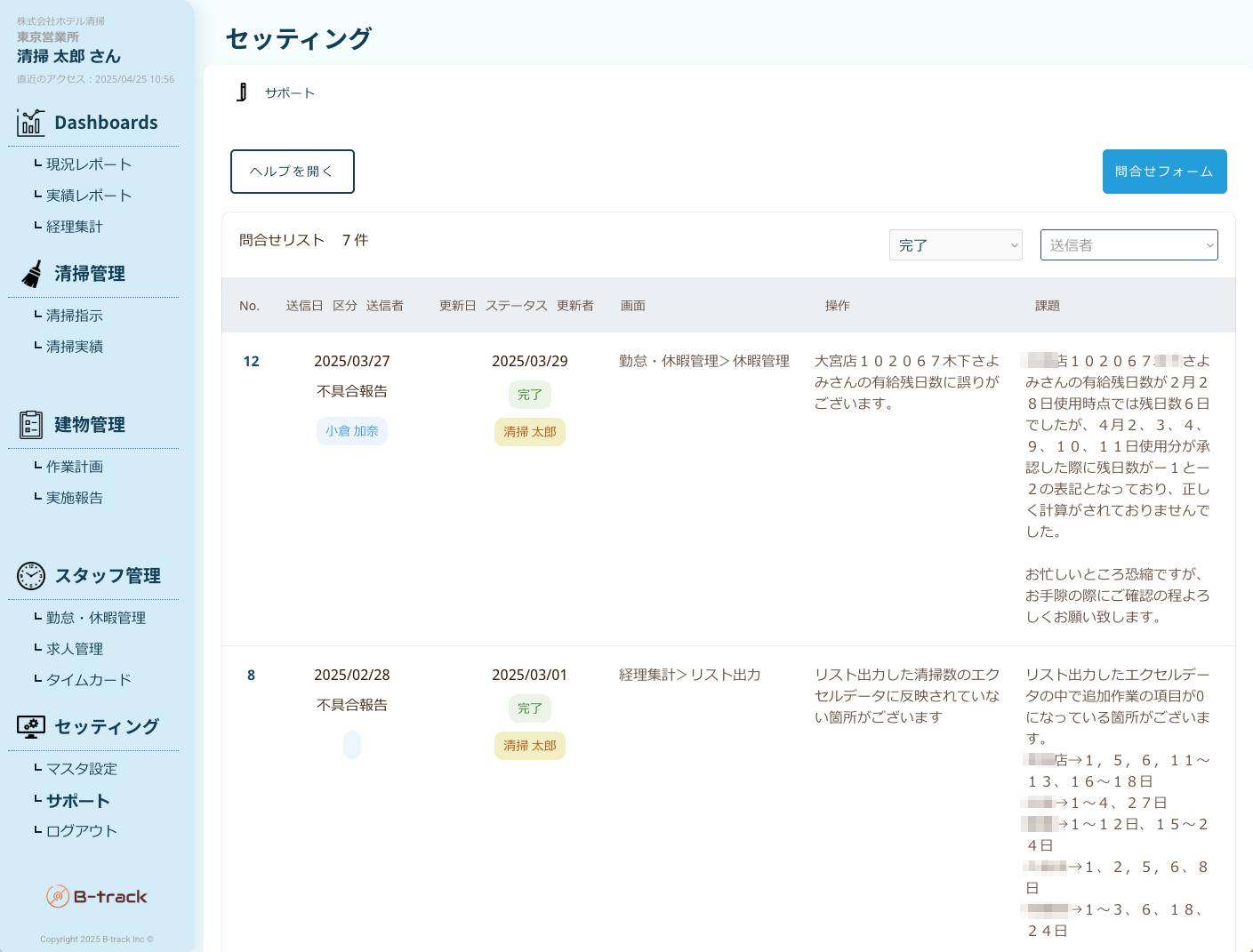
Multilingual Video Manuals
Shoot with a smartphone → distribute with multilingual subtitles. Formalize the tacit knowledge of veterans.
- Standardize previously personalized procedures through video
- Reduce onboarding time for new staff
- Deploy common quality standards across all locations
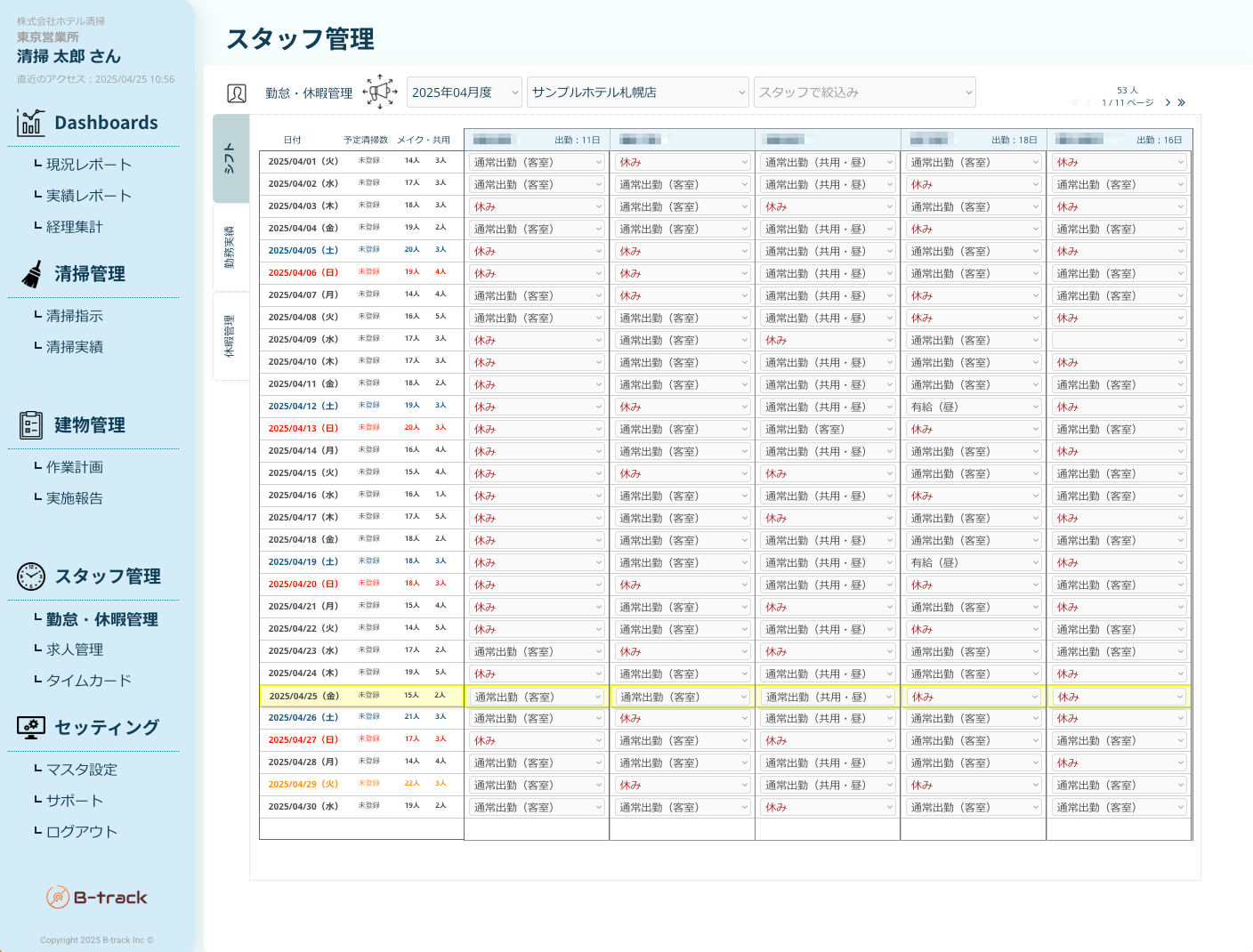
AI Work Order & Staffing Allocation
Suggest optimal order considering check-outs/stays, staff skills, and room hierarchy.
- Smooth out morning congestion and reduce downtime
- Operations that anyone can manage without relying on experience
- Support for complex operations across multiple buildings and floors
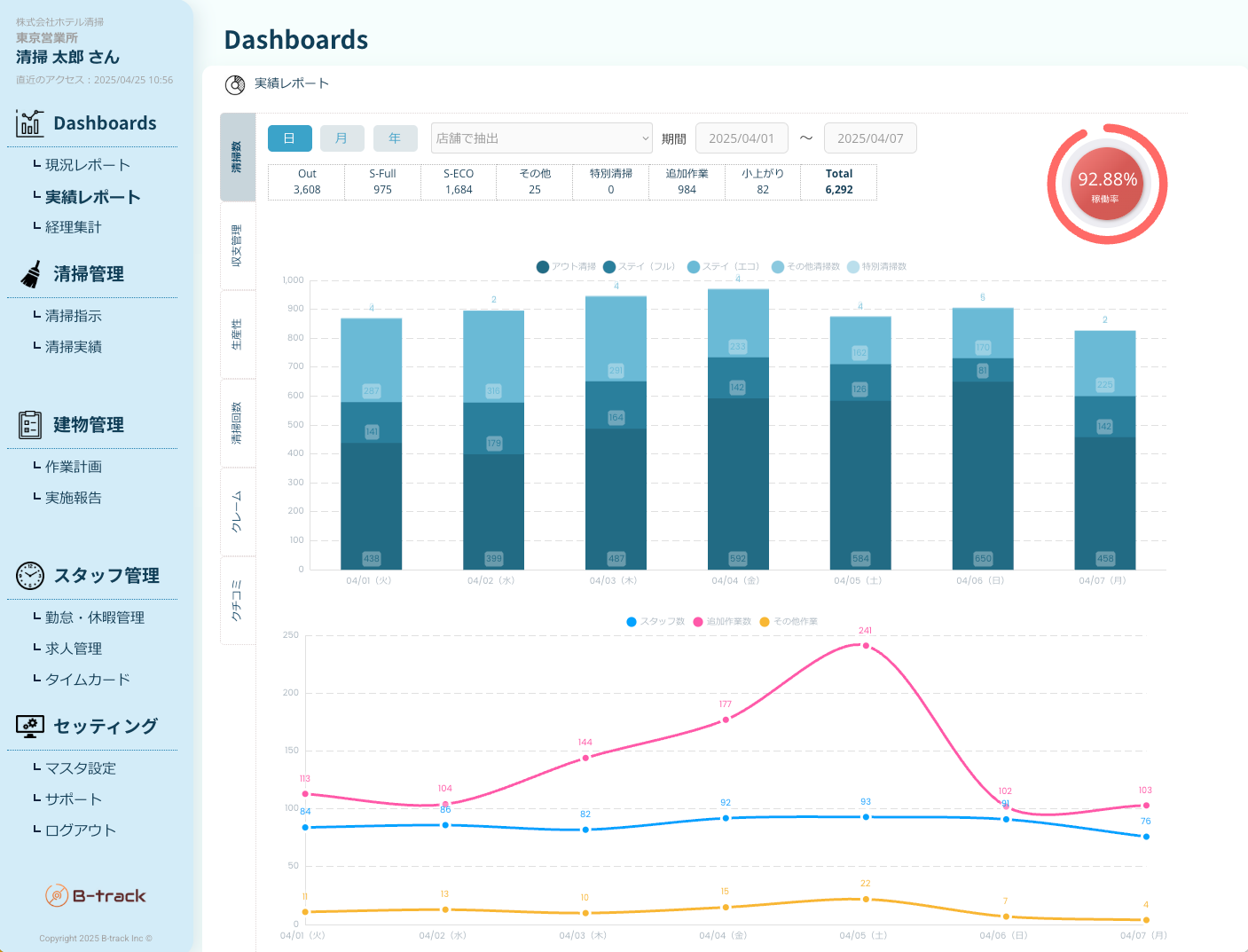
Administrator Dashboard
Instantly visualize daily/weekly/monthly metrics. Reporting features that suggest improvement points.
- View completion times, quality scores, and staff activity on one screen
- Automatic report distribution to headquarters and each facility
- Propose improvement points based on data
- Generates daily reports automatically and tracks minutes per room
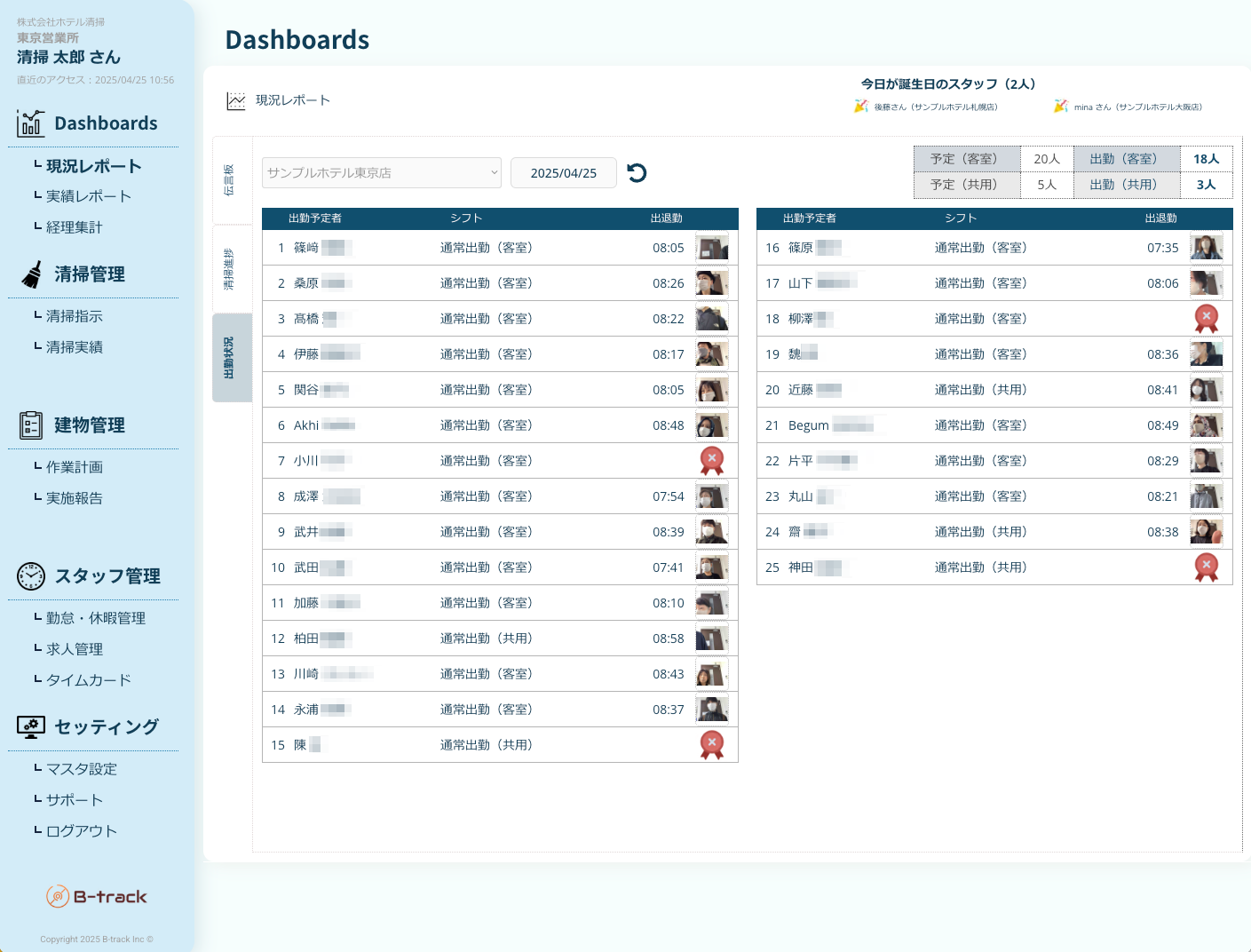
Shift, Attendance, and Pay Slips
Complete labor operations on-site from shift creation to clocking in and pay slip distribution within the app.
- Shift submissions/approvals, paid leave requests/approvals also automatically reflected
- Manage cleaning site time cards with smartphone clocking + GPS
- Automatically distribute pay slips in multiple languages via the app, eliminating paper handouts

Accounting Aggregation & Cost Management
Automatically aggregate cleaning performance by facility and room in a format suitable for accounting processing. Significantly reduce monthly closing workload.
- Automatically aggregate revenue and costs by facility and room monthly
- Direct integration with accounting software via CSV/Excel export
- Enhance cost management by visualizing labor and outsourcing costs
29 LANGUAGES
Supported languages
29 major world languages. Staff simply pick their native language and use instructions, chat, and video manuals as-is.
- EnglishEnglish
- 日本語Japanese
- 简体中文Chinese (Simplified)
- 繁體中文Chinese (Traditional)
- 한국어Korean
- Bahasa IndonesiaIndonesian
- Bahasa MelayuMalay
- မြန်မာစာBurmese
- ไทยThai
- TagalogTagalog
- Tiếng ViệtVietnamese
- ភាសាខ្មែរKhmer
- हिन्दीHindi
- नेपालNepali
- বাংলাBengali
- اردوUrdu
- ລາວLao
- EspañolSpanish
- العربيةArabic
- PortuguêsPortuguese
- FrançaisFrench
- ItalianoItalian
- DeutschGerman
- РусскийRussian
- TürkçeTurkish
- עבריתHebrew
- فارسیPersian
- PolskiPolish
- УкраїнськаUkrainian
New languages are added regularly
Product Suite
Three Products that Comprise the Field OS
Each functions independently, and when combined, the entire field operates in sync.
A central platform that integrates cleaning instructions, progress management, and dashboards.
- Real-time progress management
- Cleaning reports with photos
- Administrator dashboard
- Automatic report generation
Automatically translates messages into each member's language the moment they are sent. A communication OS that breaks down language barriers.
- Real-time translation in 29 languages
- Group and individual chat
- Linked to attendance and shifts
- iOS / Android compatible
Simply film the hands of veterans with a smartphone, turning it into educational videos with multilingual subtitles.
- Capture and edit with a smartphone
- Automatically generate multilingual subtitles
- Manage manuals by site
- Reduce training costs for newcomers
FAQ
Thank you for reading this far
We have compiled frequently asked questions about the features. If you have any other questions, please contact us viacontact form.
GET STARTED
For details on features and demos,
start with a trial at one facility.
Trial available from one facility. A dedicated representative will assist with initial master settings and on-site training.